Generate an App to Fix Your Workflow: Reviewing AI-Driven Mobile No-Code Builders
We have all been there. You are knee-deep in a specific, frustrating work task—perhaps tracking specialized inventory that doesn’t fit a standard spreadsheet, or managing a chaotic freelance client approval pipeline. You search the app stores for a solution, but everything you find is either $50 a month, vastly overcomplicated, or just slightly off from what you actually need.
You find yourself wishing you could just code up a tiny, specialized tool to handle this one specific headache. But, you know, learning Python or Swift between 2:00 and 4:00 AM isn’t high on your list.
As of April 29, 2026, the mobile world has a wild solution. You no longer need to find an app that sort of works; you can now just tell your phone to build you one that perfectly works.
Welcome to the era of generative, conversational “no-code” app builders. Following breakthroughs in 2024 and 2025, mobile AI can now understand a workflow problem and autonomously create a functional, temporary application to fix it, accessible instantly on your device. Here is a factual, slightly awe-struck review of how this technology works.
From “Coding” to “Prompting” your Workflow
The old way to build an app—even a “no-code” one—involved visually dragging gray boxes onto a canvas and linking them with logical arrows. It still required a developer’s mindset.
The 2026 generation of app builders skips this step entirely, replacing visual programming with conversational AI prompting. The leading platforms in this space—most notably specialized agents within OpenAI’s ChatGPT Plus ecosystem and advancements within the Microsoft Power Apps mobile platform—function like a junior developer waiting for instructions.
“Mobile generative AI is transitioning from generating text to generating functional agency. If you can describe your bottleneck clearly, the AI can build the exact software infrastructure to remove it.”
You don’t start with a blank canvas; you start with a chat bubble. To build your specialized inventory tool, you simply prompt the AI: ‘I need a temporary mobile app to track 40 unique types of microphone hardware. I need to track the serial number, the date it was last cleaned, its current location, and its status (Working, Repairing, Missing). Add a quick filter button for “Working” items and make it easy to upload a photo of each microphone.’
The AI then generates a data schema, designs the mobile user interface, and compiles the app into a functional “progressive web app” (PWA) container, all within about two minutes.
Reviewing the Heavy Hitters: OpenAI vs. Microsoft
While dozens of startups are active in this space, the heavy, factual groundwork of AI app generation in early 2026 is being dominated by the two platforms with the deepest NPU (Neural Processing Unit) optimization.
1. OpenAI’s specialized App Generator Agents
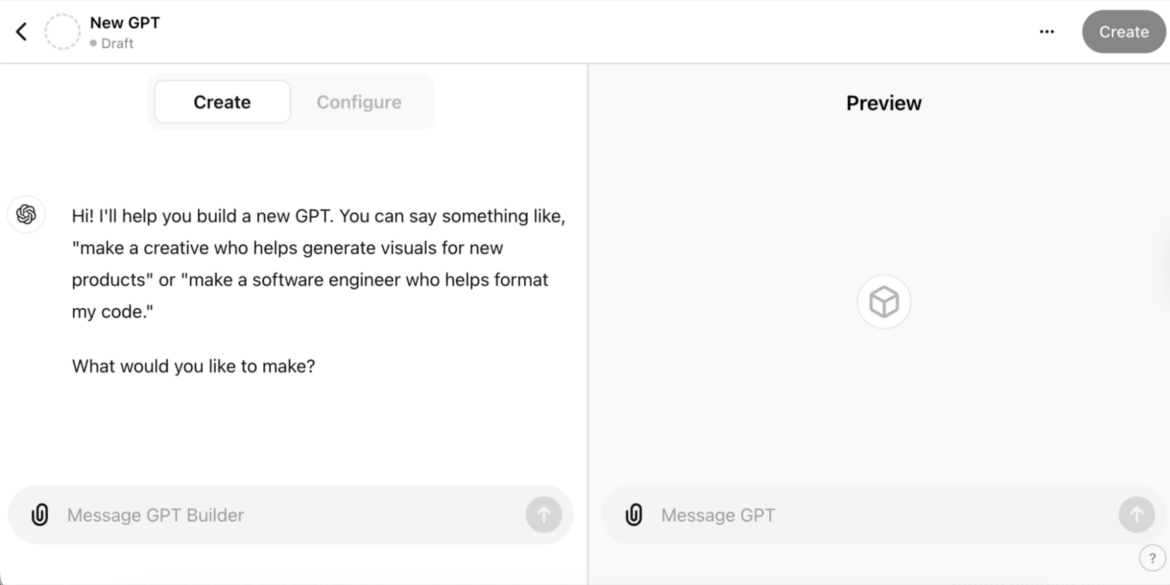
OpenAI launched specialized “GPTs” years ago, but by April 2026, these are fully functional app construction platforms. You converse with an ‘App Architect’ GPT. It iteratively asks you clarifying questions about your workflow before finalizing the design.
- The Best Part: The natural language understanding is nearly flawless. You can use colloquialisms (e.g., ‘Make it look clean, not too cluttered’) and it will make successful design choices. It excels at complex database logic.
- The Limitation: It usually generates the app as a secure, temporary web link (PWA) that you “install” to your homescreen. It often operates separately from your other phone contacts or files unless you specifically grant it deep permissions.
2. Microsoft Power Apps Mobile (v2026 Update)
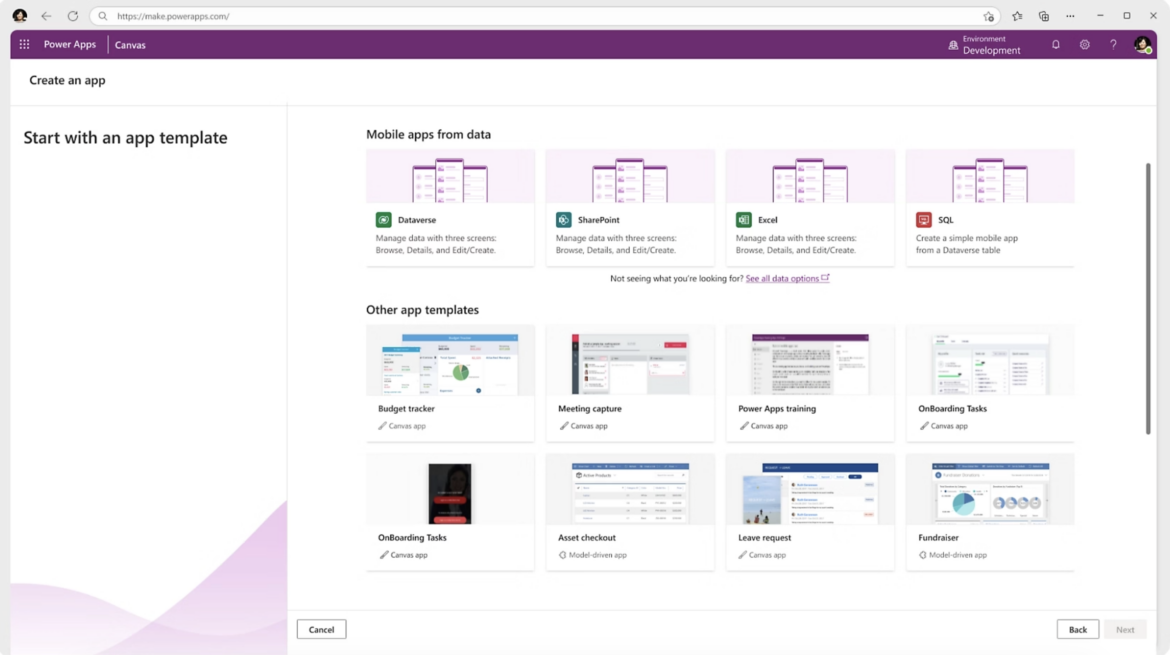
If you are already deep in the enterprise world, Microsoft’s update has focused heavily on local device integration. When you ask the Microsoft AI agent to build a workflow app, it seamlessly pulls data from your specific Excel spreadsheets or Teams lists that it identifies on your phone.
- The Best Part: Unparalleled integration. If your workflow app needs to email a specific PDF report when an item is marked ‘Ready’, it does it directly through your Outlook app without creating temporary users or security tokens.
- The Limitation: The interface logic can sometimes revert to very standard Microsoft “gray box” aesthetic. It prioritizes function and security over the slick, intuitive UX that the OpenAI models often generate.
Factual Comparisons of Mobile App Builders
| Feature | OpenAI App Generator | Microsoft Power Apps | Traditional No-Code (e.g., Bubble) |
| Creation Method | Conversational Prompting | Conversational + Visual | Visual Drag-and-Drop |
| App Type | Temporary Web App (PWA) | Full Native-Integrated App | Native or PWA (Varies) |
| Hardware Required | Moderate NPU | High NPU (optimizes locally) | Cloud-Based Processing |
| Integration | Limited to GPT connections | Deep Office 365, local files | Highly Custom (but manual) |
| Best For | Instant, single-user problems | Integrated enterprise workflows | Multi-user commercial products |
The “Temporary App” Lifestyle: A Use-Case
The most useful factual shift of this technology isn’t just how they are built, but how we use them. These aren’t apps meant to be marketed on the App Store; they are disposable workflow bandaids.
If you are planning a massive family reunion, don’t try to use a shared note. Ask your AI builder: ‘Build me a guest list tracker. I need to capture the name, if they are confirmed (Yes/No), their arrival date, food allergies, and if they need a ride from the airport. Let my spouse access this app too.’
You use that app for one month, it saves you 15 hours of organizational dread, and when the reunion is over, you delete it. This isn’t “development”; it is immediate, personal workflow liberation. The era of accepting that an app almost works is officially over. Let the AI build the tool you actually need.